 By Matt
• Music Production Gear
• Published 14 Dec 2024 • Updated 29 June 2026
By Matt
• Music Production Gear
• Published 14 Dec 2024 • Updated 29 June 2026
2026 Guide for the Best Laptops for Music Production
Before you start reading, just letting you know that my site contains affiliate links, at no extra cost to you, but they may give me a small commission to help run the site. Feel free to get extra info on my disclaimers page. Thanks and on with the show...
Growing up, part of the alure of becoming a musician is to fill that dream of becoming a rock star which not only was about playing to thousands of fans each night but also creating that ultimate sign of a professional - a record, or CD or really a digital file now?
With this dream in my head, I took the money that I had saved and went out to transform my bedroom into the next recording studio. I went out, wallet in hand and bought all the gear I thought I needed, only to comeback and find that my high school computer was about as useful in recording music as it was to get an A in biology.
That was one of the first of many times I followed my heart instead of my head by not doing the research needed before spending hard earned cash.
This post is really for anyone in a similar situation but, being much smarter than I was, have but the breaks on and decided to do some research of their own. I wanted to give you my opinion on laptops to look at that will be help you create some music.
I approached it from the angles I thought were most important - I carefully narrowed down options based on their capability to handle DAWs and musical instruments seamlessly looking at new releases, top sellers and the most-wished-for laptops.
I tried to help as many people as I can by looking into all budgets, from entry-level to pro-level laptops.
Here are my picks for the best laptops for music production in 2025!
What to Consider When Buying a Laptop for Music Production
Before we look at price tags, there are some key features you need to consider to make sure that your laptop can handle everything from basic tracking to complex mixing and mastering:
Processor (CPU): This is the heart of your music-making setup. More cores mean more power for running multiple plugins.
RAM: Think of this as your workspace. More RAM means more room to work on large projects without slowing down.
Storage: SSDs offer faster startup times and quicker access to your samples and projects than traditional hard drives.
Sound Card/Audio Interface Compatibility: Ensure your laptop has the right ports or supports the external audio interface you’ll be using.
Battery Life: Maybe not important right now if you are going to be producing at home but could come in handy when you have a moment of inspiration on the bus. Make sure you don't forget that idea!
Durability and Portability: It should withstand the life of a mobile musician if you are looking to record with others outside of your home.
What Specs Does My Laptop Need to Meet for Each DAW?
DAWs are the heart of music production now. I went and got some specs for the most popular DAWs in 2025 to make sure your new laptop can handle them:
- Reaper: 2.5 GHz multi-core processor, 8 GB RAM, 12 GB free disk space.
- Logic Pro (Mac only): 2.4 GHz quad-core Intel Core i5, 8 GB RAM, 6 GB free disk space for minimum installation or 72 GB for full Sound Library installation.
- Ableton Live: Intel Core i5 processor or an AMD multi-core processor, 8 GB RAM, 3 GB free disk space.
- FL Studio: 2 GHz Intel Pentium 4 / AMD Athlon 64 (or later) compatible CPU with full SSE2 support, 4 GB RAM, 4 GB free disk space.
- Pro Tools: Intel Core i5 processor, 16 GB RAM, 15 GB disk space for installation.
- Cubase: 64-bit Intel or AMD multi-core processor (Intel i5 or faster recommended), 8 GB RAM, 18 GB free disk space.
What Should I Be Careful of When Purchasing a Laptop for Music Production?
We have now taken a look at the things that are important to get when you buy your laptop, but as always the bad comes with the good. Here are some things that could get in the road of your recording with a laptop.
- Overheating: Can throttle performance as you put more and more pressure on the system.
- Upgradability: Can you add more RAM or swap out the SSD later? My suggestions are pretty purpose built but there could be a time when you might need to increase the size.
- Port Types: Ensure it has the ports you need for your audio interface, MIDI controllers, etc. This is a big impact for us musicians with a lot of gear. MAke sure you have enough ports for your gear. If not, you can also solve the problem with and expander adaptor.
- Operating System Compatibility: Does it support the DAW and plugins you plan to use? This is a good thing to double check. These day DAWs will have compatibility with most, but some might be better suited for one or the other.
Tips for Maximizing Your Music Laptop's Performance
Your laptop is a critical piece of your production setup. Here are some tips to keep it running smoothly:
- Maintenance: Clean out temporary files and keep your disk space optimized.
- Storage: Use external drives to store sample libraries and finished projects to free up internal storage.
- Cooling Pads: Overheating can hamper performance, so think about a cooling pad for extended sessions.
- Update Drivers: Keep your audio drivers and DAW software up to date for optimal performance.
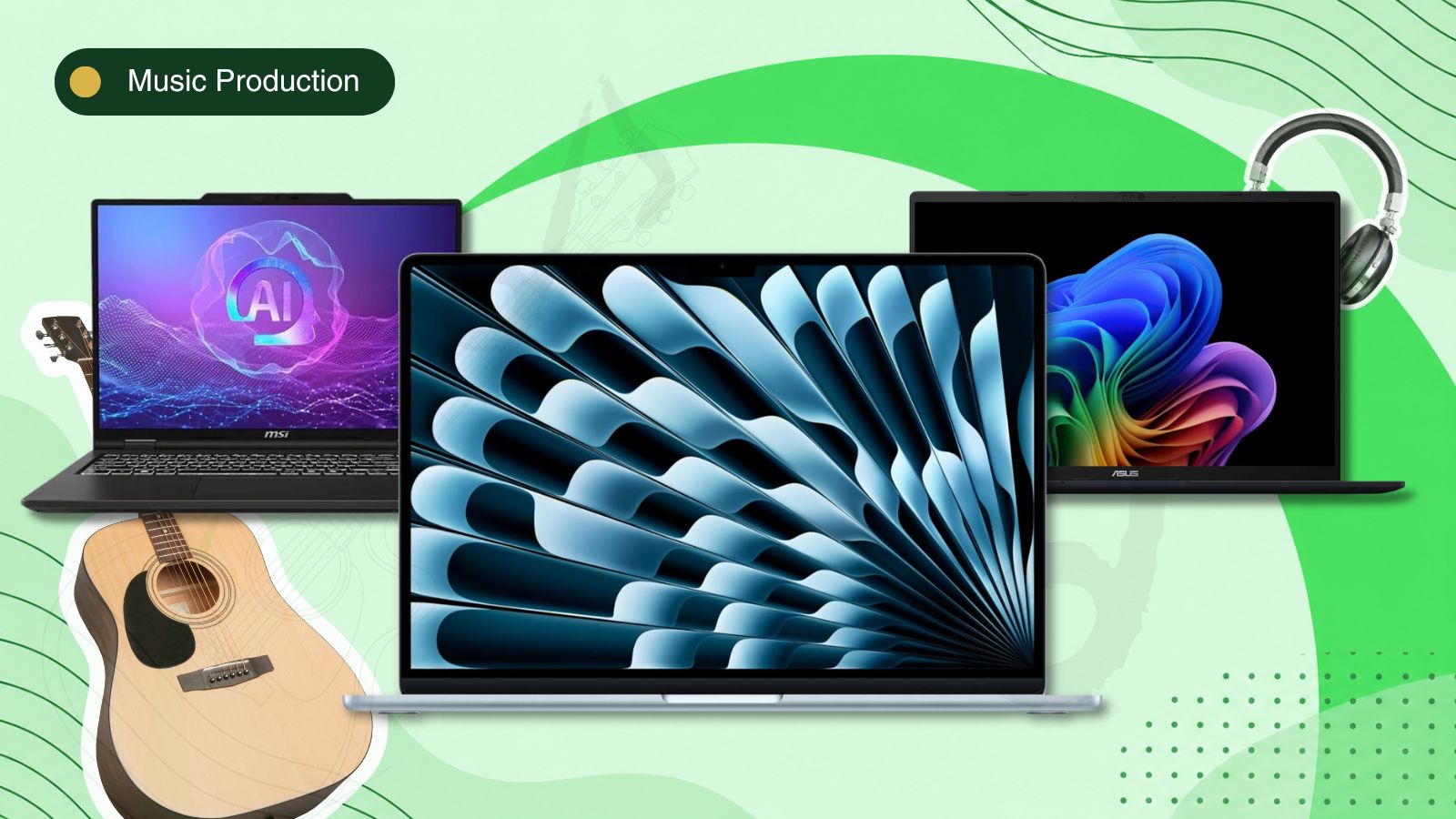
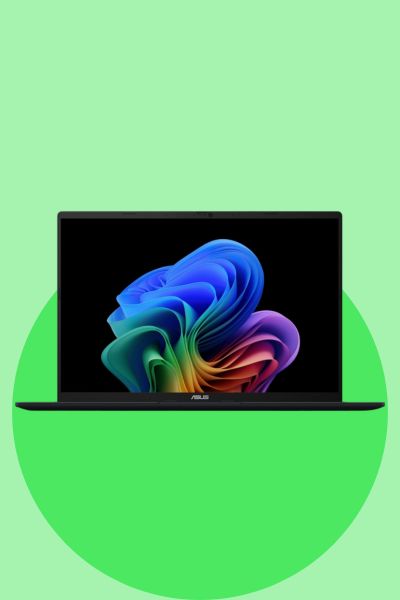
ASUS Vivobook 16 Ryzen AI 7
The ASUS Vivobook 16 is the best budget pick because it gives you the main specs I would look for in a music production laptop without going into gaming laptop prices.
- AMD Ryzen AI 7 350
- 16 GB RAM
- 1 TB SSD
- 16 inch WUXGA display
Why Is It Great?
This is a sensible choice for beginners, singer-songwriters and home producers who want to run DAWs like Ableton Live, FL Studio, Cubase, Studio One or Reaper. The AMD Ryzen AI 7 350 processor gives it enough power for recording, editing, virtual instruments and normal plugin use. The 16 GB RAM is the practical minimum I would recommend for music production in 2026, while the 1 TB SSD is a big advantage over cheaper laptops with 512 GB storage. The main limitation is that it is still a value laptop, so it is not the best choice for very large sample libraries or heavy orchestral projects. For normal home music production, it gives you a strong balance of price, storage and usable DAW performance.
The Pros & Cons of ASUS Vivobook 16 Ryzen AI 7
Pros
- Good value for music production
- Modern AMD Ryzen AI 7 processor
- 1 TB SSD gives room for plugins and projects
- Large 16 inch screen
- Good first laptop for home recording
Cons
- 16 GB RAM may limit very large sessions
- Not as powerful as creator or gaming laptops
- Integrated graphics only
- Basic display compared with premium models
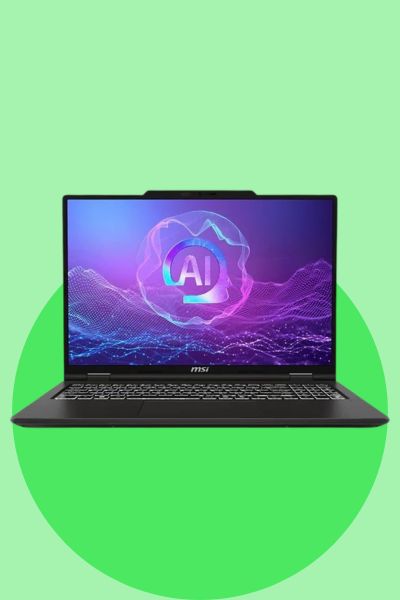
MSI Venture 16 AI Core Ultra 7
The MSI Venture 16 AI is the best mid-range pick because it gives you a stronger processor and more memory than most budget laptops, which helps once your music projects start getting bigger.
- Intel Core Ultra 7 255H
- 32 GB RAM
- 512 GB SSD
- 16 inch WUXGA touchscreen
Why Is It Great?
This is a better fit than a basic office laptop because the Intel Core Ultra 7 255H gives you strong CPU performance for virtual instruments, amp sims, effects chains and larger sessions. The big reason I would choose this model is the 32 GB RAM. That gives it more room for heavier DAW projects than a standard 16 GB laptop, especially if you use sample libraries, drum instruments or several plugins at once. The trade-off is the 512 GB SSD, which is usable but not ideal for music production long term. I would treat this as a strong mid-range laptop for the actual DAW work, but I would also recommend an external SSD if the user has large sample packs or keeps a lot of projects on the machine.
The Pros & Cons of MSI Venture 16 AI Core Ultra 7
Pros
- 32 GB RAM is excellent at this price point
- Strong Intel Core Ultra 7 processor
- Better for larger sessions than budget laptops
- Good for plugins and virtual instruments
Cons
- 512 GB SSD may fill quickly
- External storage may be needed
- Touchscreen is not essential for music production
- Not as powerful as a high-end performance laptop
Apple 2026 MacBook Air 15-inch M5
The Apple 2026 MacBook Air 15-inch M5 is the best portable pick if you want a quiet Mac laptop for Logic Pro, GarageBand, Ableton Live and general music production.
- Apple M5 chip
- 16 GB unified memory
- 1 TB SSD
- 15.3 inch Liquid Retina display
Why Is It Great?
This MacBook Air makes sense for music production because it gives you the main things that matter in a portable DAW laptop: a modern Apple M5 chip, 16 GB unified memory, a 1 TB SSD and a larger 15.3 inch screen. The 1 TB SSD is important because music projects, plugins and sample libraries can fill storage quickly. The fanless design also makes it useful for recording in the same room as the laptop because there is no fan noise bleeding into microphones. The main limitation is that it is still a MacBook Air, not a MacBook Pro. That means it is better for normal music production, songwriting, editing, mixing and portable work than very heavy orchestral sessions or huge plugin chains. I would position this as the best portable Mac option rather than the most powerful laptop overall.

The Pros & Cons of Apple 2026 MacBook Air 15-inch M5
Pros
- Quiet fanless design
- Good for Logic Pro and GarageBand
- 1 TB SSD gives useful project storage
- Large 15.3 inch screen for DAW work
- Lightweight for mobile recording
Cons
- Less powerful than a MacBook Pro
- Only 16 GB unified memory
- Limited ports
- Not upgradeable later
FAQ
How much RAM do I need for music production?
For a practical starting point, 16 GB RAM is a good target. You can do some music production with less, but 16 GB gives you more room for DAWs, plugins and larger projects.
Is a MacBook Air good for music production?
Yes, a MacBook Air can be good for many music production tasks, especially if you are using GarageBand, Logic Pro or lighter DAW sessions.
Is a MacBook Pro better than a MacBook Air for music production?
The MacBook Pro is usually the better option for heavier projects, more plugins and longer sessions. The MacBook Air is better if you want something lighter and more affordable.
Do I need 1 TB storage for music production?
You do not always need 1 TB, but it helps. Music projects, samples and plugins can take up a lot of space, so larger SSD storage is useful.
What should I check before buying a laptop for music production?
Check the processor, RAM, SSD storage, ports, operating system compatibility and whether your DAW and audio interface will work properly with it.
In Summary - The Best Laptops for Music Production in 2025
The right laptop for music production really depends on what you are trying to do, how many plugins you run and how much you can spend. Make sure that you consider the processor, RAM, storage and compatibility with your DAW and audio interface.
The main point is not to buy with your heart like I did when I was younger. Check the specs first and make sure the laptop actually suits the music you want to make.
ABOUT THE AUTHOR