 By Matt
• Gear Comparisons
• Published 8 Aug 2026
By Matt
• Gear Comparisons
• Published 8 Aug 2026
3 Great Wireless Microphones For Singing At Different Budgets
Before you start reading, just letting you know that my site contains affiliate links, at no extra cost to you, but they may give me a small commission to help run the site. Feel free to get extra info on my disclaimers page. Thanks and on with the show...
INTRO PARAGRAPH
Wireless microphones sound pretty simple at first. You get rid of the cable and get more freedom to move around. Once you start looking into them though, there is a bit more to it than that.
There are differences in how they connect, how long the batteries last, how far you can move away from the receiver and how well they handle other wireless equipment being used nearby.
The microphone itself still matters too.
A good wireless system is not much use if the microphone isn't suited to your voice or the way you perform. For this article I looked at three different options aimed at musicians at different stages.
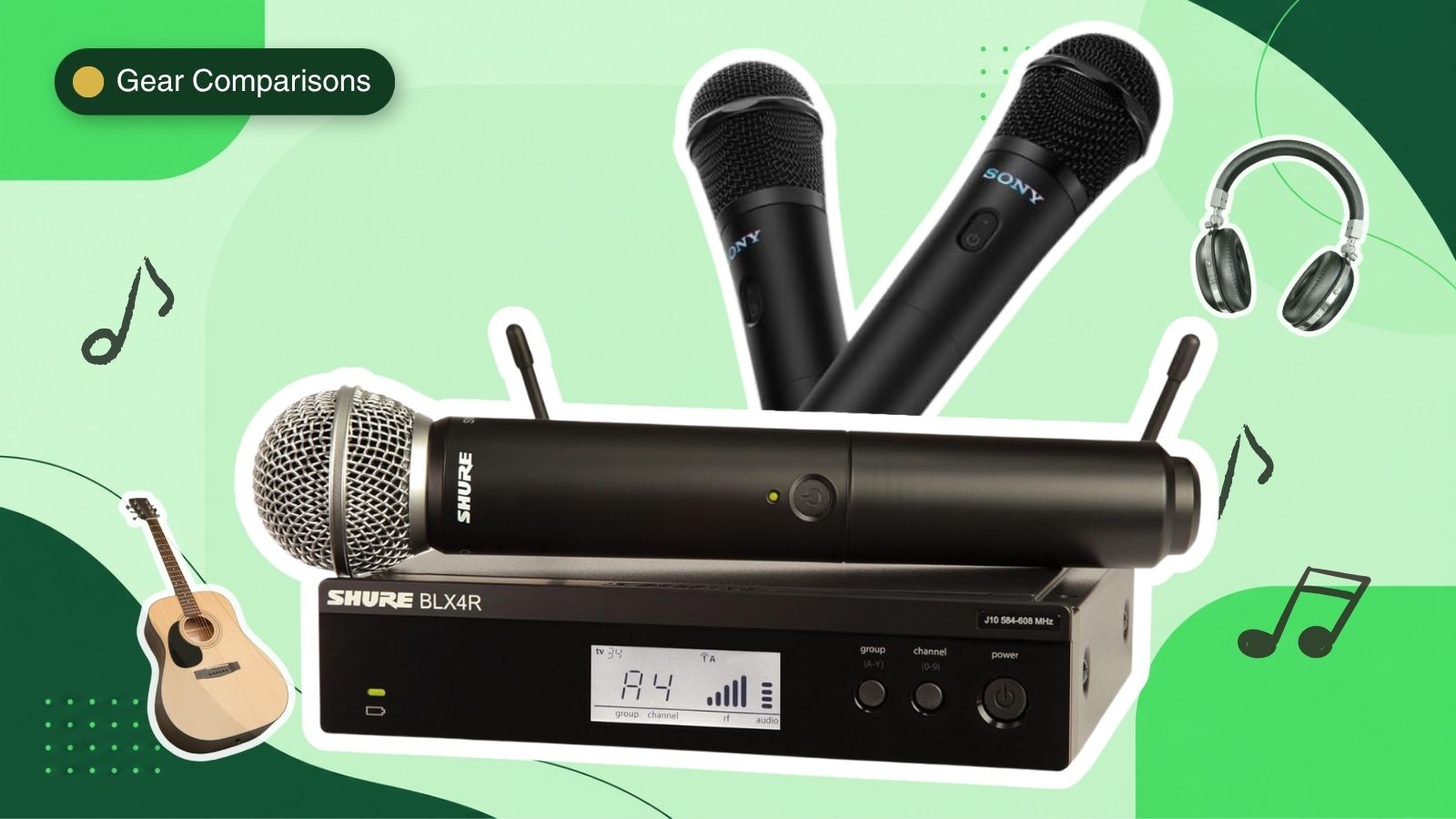
- The Sony ULT MIC is the simplest of the three and an easy way to move away from a normal microphone lead.
- The Sennheiser XSW 1-835 is my best overall pick and moves more into regular live performance.
- The Shure BLX24/SM58 sits at the top end of this comparison and combines Shure's wireless system with the well known SM58 microphone.
I have also gone through how wireless microphones work, what can cause interference and how much range you actually need.
Hopefully by the end, the whole thing feels a bit less complicated.
So What Are You Actually Buying With A Wireless Microphone?
A wireless microphone is really two main parts working together. You have the microphone in your hand and a receiver connected to your sound equipment. Instead of sending your voice down a long cable, the microphone sends it through the air to that receiver. From there, it goes into your mixer, PA or speaker in the normal way.
The microphone also needs power because it is doing more than a standard wired mic. It has to send the signal as well as pick up your voice.
That is why battery life suddenly becomes something you need to think about. Some systems use rechargeable batteries while others use normal AA batteries.
There are also different ways the wireless signal can be sent.
Some use the same 2.4GHz area as a lot of everyday wireless devices. Others use different frequency bands that are more common in live music gear.
You don't need to understand all the technical detail behind that.
The important part is making sure the microphone and receiver work well together, the version you buy is suitable for where you live and the setup is easy enough that you can actually get on with playing.
A Quick History Of Wireless Microphones
Wireless microphones have been around for much longer than I realised. Early systems started appearing in the middle of the 20th century, although they were nothing like the small and fairly easy-to-use systems we can buy now.
The basic idea hasn't really changed though.
Someone wanted to use a microphone without having a lead attached to them.
As live performances became bigger, wireless microphones became especially useful for singers who wanted to move around larger stages. Over time the systems became smaller, sound quality improved and manufacturers found better ways to deal with interference.
What was once fairly specialised equipment is now available at almost every level. You can buy a simple wireless microphone for a small setup or go right through to systems designed to handle large tours with plenty of wireless equipment being used at the same time.
That is quite a jump from simply trying to get rid of one cable.
Wireless Microphone Range - How Much Do You Really Need?
Range is one of the first numbers you will see advertised with a wireless microphone.
100 ft.
200ft.
1000 ft.
It sounds important but I think it is worth stopping and thinking about how far you are actually going to move. For most musicians playing smaller venues, you probably aren't going to be anywhere near 200ft from your sound equipment. What matters more is whether the microphone keeps a good connection while you move around the area where you are actually performing.
Buildings can make a difference too.
Walls, people and other wireless equipment can all get between the microphone and receiver. That is why the maximum range written on the box should really be looked at as the best-case number rather than something you will get every time.
For most musicians, I would rather have a reliable signal over the distance I actually need than pay extra just to get a much bigger number.
What Can Cause Wireless Microphone Interference?
Wireless microphones send their signal through the air, which means they are sharing that space with plenty of other technology. Wi-Fi, other microphones and nearby wireless equipment can all be part of the mix.
This doesn't mean wireless microphones are constantly dropping out. Good systems are designed to deal with it.
The main thing is that the microphone and receiver need a clear frequency to communicate with each other. Some systems help by scanning for an available frequency automatically. That sounds technical but the idea is simple - the system looks for a quieter place to send its signal. It becomes more important when several wireless microphones are being used at the same time. Each one needs its own suitable frequency so they aren't all trying to talk over each other.
This is also why you will see different frequency versions of some wireless microphone systems.
Before buying one, make sure the version you choose is suitable for the country where you are going to use it.
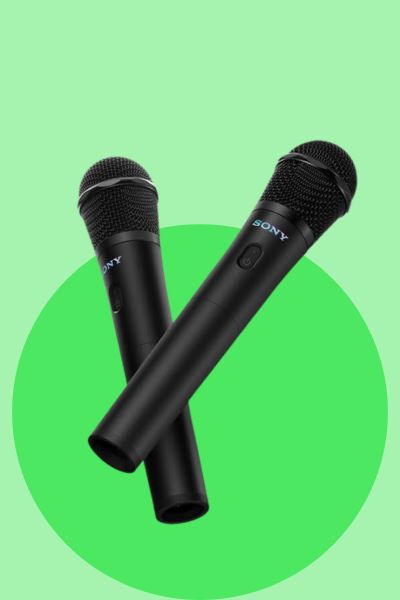
Sony ULT MIC
You get two microphones rather than one and a small receiver that plugs into a microphone input.
It is much more aimed at karaoke, parties and home use than being carried around on tour. Nothing wrong with that, it just needs to be bought for the right reason.
- Two microphones in the pack
- Rechargeable with up to 20 hours use
- 2.4GHz wireless
- Small plug-in receiver
Why Is It Great?
Both microphones are dynamic, rechargeable and Sony lists around 20 hours of battery life. The receiver is rechargeable as well. Sony also includes something called Duet Assist which helps balance the volume when two people are using the microphones at the same time. Two people singing together are almost never going to naturally sing at exactly the same volume. The microphones connect over 2.4GHz and Sony lists a maximum distance of around 30 metres with a clear line between the microphone and receiver.
The Pros & Cons of Sony ULT MIC
Pros
- Two microphones rather than one
- Rechargeable microphones and receiver
- Up to 20 hours battery life
- Small receiver
- Duet Assist for two singers
- Simple setup
Cons
- Need to check what you are plugging it into
- 2.4GHz is also used by plenty of other wireless devices
- Not really in the same class as the stage systems below
Sennheiser XSW 1-835
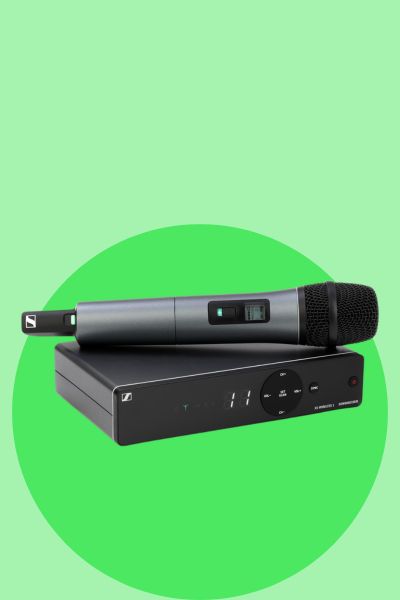
This is a full wireless vocal set with the handheld microphone, receiver, microphone clip, power supply and batteries.
The microphone itself uses Sennheiser's e835 dynamic cardioid capsule.
- Sennheiser e835 vocal capsule
- Automatic frequency management
- Up to 10 compatible channels
- Around 10 hours battery life
Why Is It Great?
I think this is the most interesting of the three when looking at price against what you actually get. Sennheiser has tried to take some of the annoying parts out of setting up wireless. There is automatic frequency management and the microphone can synchronise with the receiver rather than everything needing to be sorted manually. You can also use up to 10 compatible channels, depending on the frequency version and conditions. Battery life is listed at around 10 hours from two AA batteries. The big thing for me is that underneath all the wireless parts you still have an e835 capsule. They have taken one of their established vocal microphone designs and put it into the system.
The Pros & Cons of Sennheiser XSW 1-835
Pros
- e835 vocal capsule
- Automatic frequency management
- Automatic synchronisation
- Up to 10 compatible channels
- Balanced XLR output on the receiver
- Made for live vocals
Cons
- A decent jump in price
- Uses AA batteries
- Different frequency versions are available
- More parts to setup than the Sony
Shure BLX24/SM58
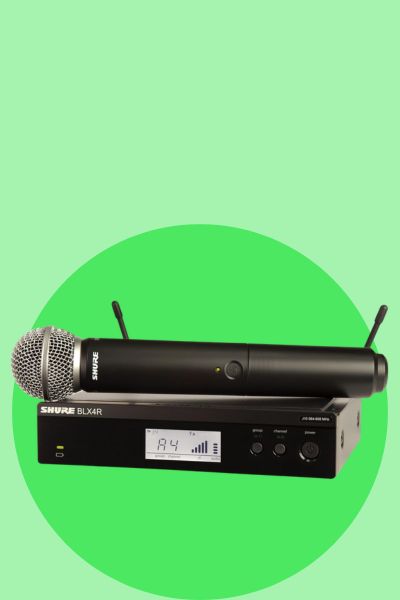
It takes the SM58 and makes it wireless. Even if you know very little about microphones there is a fair chance you have seen an SM58 somewhere. They have been around forever and seem to turn up everywhere music is being played.
- SM58 microphone capsule
- Up to 14 hours from AA batteries
- One-touch frequency scan
- Up to 100m stated range
Why Is It Great?
You are getting a Shure wireless system with an SM58 capsule on the handheld transmitter. Battery life is listed at up to 14 hours from two AA batteries. The receiver also has QuickScan - Press the button and it searches for an available frequency. Shure lists the maximum range at 300 feet which is roughly 100 metres. The BLX range can also support multiple systems. How many depends on the frequency band and where it is being used.
The Pros & Cons of Shure BLX24/SM58
Pros
- SM58 microphone capsule
- Up to 14 hours battery life
- QuickScan frequency selection
- Long wireless range
- Can run multiple BLX systems
- Proper Shure live system
Cons
- Most expensive of the three
- Only one microphone in this pack
- Still needs AA batteries
- Probably more than a casual home singer needs
FAQ
How does a wireless microphone work?
A wireless microphone has a transmitter that sends your voice to a receiver without using the usual long microphone cable.
The receiver is connected to your mixer, PA or other sound equipment.
So the sound still ends up in the same place, it just travels through the air for part of the journey instead of through a lead.
Do wireless microphones sound as good as wired microphones?
A good wireless microphone can sound very close to a wired version.
The microphone itself still matters though.
A high-quality microphone capsule in a good wireless system should give you very good sound, while a cheap wireless microphone will not automatically sound good just because it has no cable.
For most musicians, the bigger differences are usually the microphone quality, wireless system and setup rather than simply wired versus wireless.
Can wireless microphones cut out?
They can.
A wireless microphone depends on a radio connection between the microphone and receiver.
If there is interference, the distance becomes too great or something blocks the signal, you can sometimes get a dropout.
Modern systems have become much better at avoiding this, especially ones that can scan for a clear frequency.
What frequency should a wireless microphone use?
There isn't one frequency that is right for every wireless microphone.
Different systems use different parts of the radio spectrum and the rules also change between countries.
Some microphones use the 2.4GHz range while others use specific UHF frequency bands.
The easiest rule is to check that the exact frequency version you are buying is approved for use where you live.
How many wireless microphones can you use at once?
It depends on the wireless system.
Each microphone needs its own clear channel or frequency, so you can't just keep adding microphones forever.
Some simpler systems are made for one or two microphones while more advanced systems can handle quite a few working together.
If you think your band may eventually use several wireless microphones, check how many compatible systems can be used together before buying.
My Final Thoughts On Wireless Microphones
Wireless microphones have come a long way from being something you would mainly see with touring acts or in big venues.
They are smaller, easier to setup and there are now options for a lot more budgets.
The main thing I took from looking into them is that the microphone itself still matters just as much as the wireless part.
The Sony ULT MIC is the easiest place to start if you want something simple and don't need a full stage system.
The Sennheiser XSW 1-835 is my best overall pick. It gives you a proper vocal microphone, helps manage the wireless setup for you and has enough room to grow if you add more gear later.
The Shure BLX24/SM58 is the premium option. The big attraction is pretty obvious - you are getting the familiar SM58 in a wireless setup.
If you play live regularly, I would spend more time looking at reliability, battery life and how easy the wireless setup is rather than just chasing the biggest range number.
For me:
- Sony ULT MIC – the easiest starting point.
- Sennheiser XSW 1-835 – the best all-round choice for musicians.
- Shure BLX24/SM58 – the one I would look at if I wanted to move up to a more serious stage setup.
As always, the best one really comes down to what you are doing with it.
No point buying something built for a massive stage if you are never going to move more than a few metres from the mic stand.
ABOUT THE AUTHOR