 By Matt
• Gear Comparisons
• Published 23 Nov 2026
Turning Your Sheet Music Handsfree - 3 Bluetooth Page Turners Compared
Before you start reading, just letting you know that my site contains affiliate links, at no extra cost to you, but they may give me a small commission to help run the site. Feel free to get extra info on my disclaimers page. Thanks and on with the show...
One of the things I love about modern music technology is how it manages to solve problems that musicians have been dealing with for ages.
Take sheet music. If you're playing the piano, both hands are usually doing something fairly important and unfortunately the music doesn't stop just because you've reached the bottom of a page.
For years, the solution was to turn the page quickly, memorise the next section or convince a friend to sit bored beside you and do it.
Now, with digital sheet music on a tablet, you can use a Bluetooth foot pedal to turn the pages without taking your hands off the instrument.
I wanted to see how these actually work and whether you need to spend much money to get something reliable.
I've picked the AirTurn DUO 500, PageFlip Firefly and Donner DBM-50 to compare. They all turn pages, but there are some differences in how they're powered and what else they can control. I'll also explain how the technology works and what you need to use one.
How Does a Bluetooth Sheet Music Page Turner Work?
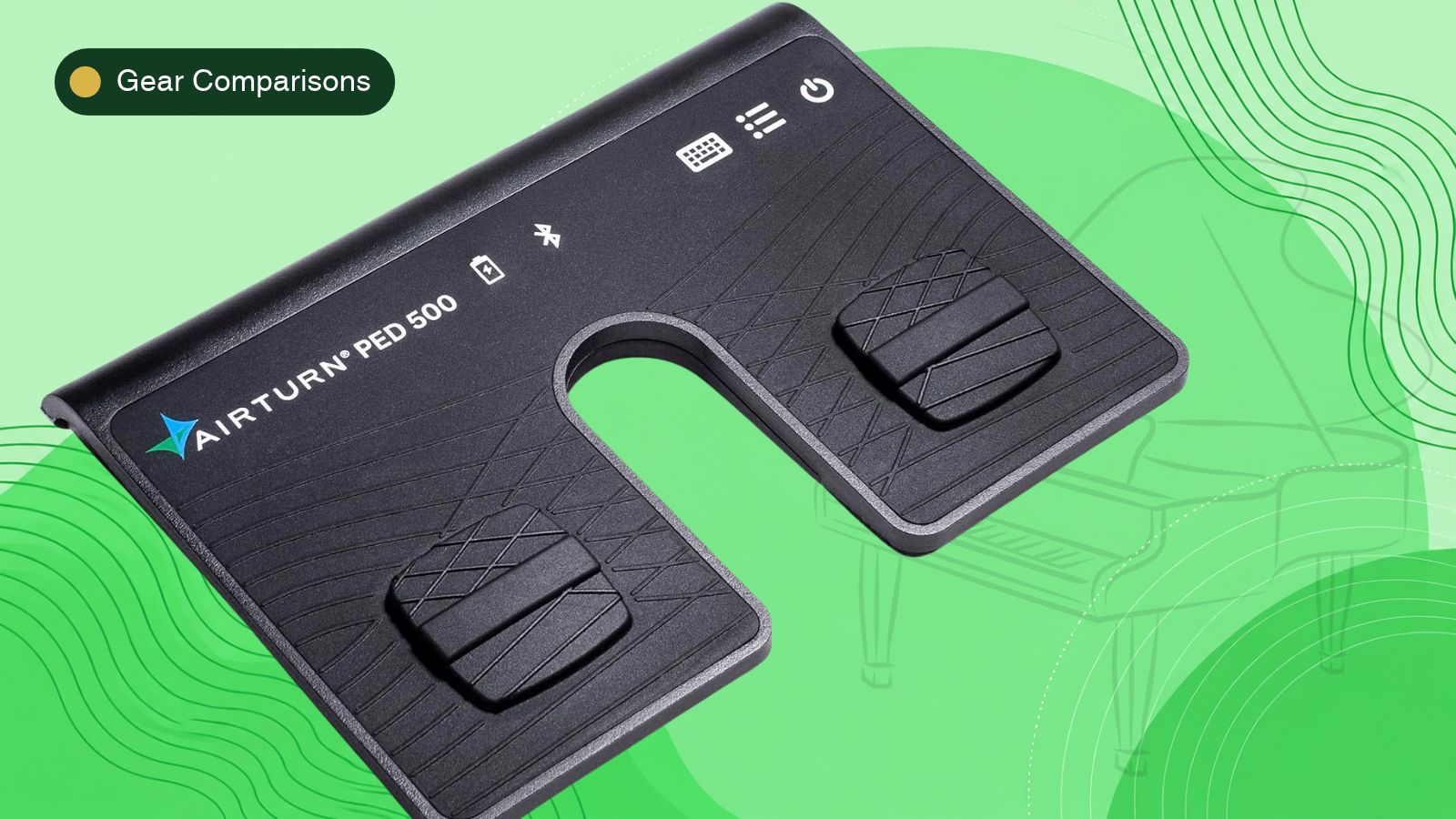
A Bluetooth page turner is a foot pedal that sends a command to your tablet or computer. Open your sheet music in a compatible app, press the pedal and the page moves without you needing to take a hand off the instrument.
Most of these pedals work much like a wireless keyboard. One switch might send the right arrow key to move forward and the other might send the left arrow key to go back. Some apps prefer Page Up and Page Down instead, which is why pedals have different operating modes.
You still decide when to turn the page. The pedal doesn't read the notes or know that you're coming to the end of a piece. It just sends the command when you press it. That also means the backward switch is useful when you're rehearsing and want to go over the same section again.
There's no special music file stored inside the pedal. Your sheet music stays on your tablet and the app handles how it appears. The Bluetooth connection carries the instruction, not the score itself.
You don't need Wi-Fi for the page-turning part either. Once the music is saved on your device and the pedal is connected, the two can work together without an internet connection.
Page Turners & Shortcuts
From Paper Page Turners to Digital Sheet Music
The problem of turning sheet music has been around for ages, especially for pianists whose hands are already busy.
At some performances, another person sits beside the pianist and follows the score so they can turn the page at the right moment. It works, but finding someone willing to sit through an entire rehearsal doing that job is another matter.
People also tried building devices to turn paper pages mechanically. PageFlip showed a prototype in 2008 and a revised version in 2010. The idea was to move the actual sheets rather than send a command to a screen.
Then digital scores became easier to carry around on tablets. PageFlip introduced its Cicada Bluetooth pedal in 2011 and the Firefly followed in 2014. With the music already on a screen, there wasn't any paper for a device to move.
The tablet also made it easier to organise your music. Depending on the app, you can mark up a score, search your library and put pieces in the order you need for a performance.
That doesn't mean paper music has become useless. If you're happy with a printed score or the whole piece fits on one screen, you may not need a pedal at all.
Will a Bluetooth Page Turner Work With Your Music App?
Before worrying about which pedal has the longest battery life, I'd check the app you're already using.
Many page turners pretend to be a very small computer keyboard. The app needs to recognise the keys they send. A pedal can show up as connected in your tablet's Bluetooth settings and still do nothing if it's set to a mode the app doesn't use.
forScore on the iPad supports common page-turning commands and lets you change which shortcuts trigger different actions. PageFlip lists apps including forScore and MobileSheets among its supported options. Donner also says the DBM-50 works with music-reading apps, but you'll still need the right mode selected.
Ordinary PDF sheet music can work too. It's the app displaying the PDF that matters, not whether the file was made for a foot pedal. A basic PDF reader that ignores external keyboard commands won't suddenly support them because you've paired a pedal.
I would check the app's help pages or try it with a Bluetooth keyboard if you already have one. Pressing an arrow key or Page Down is a simple way to see whether the app will respond before you add another device to the setup.
Using a Page Turner With a Sustain Pedal at Rehearsals and Gigs
If you're playing piano, the first problem may be finding somewhere to put another pedal. Your right foot is probably already using the sustain pedal and moving it to the wrong place can make playing harder than turning the page by hand.
I'd try the page turner where your other foot can reach it. You may need to shift it around depending on how often the music uses sustain. It also helps to practise the page changes rather than discovering during a performance that you keep pressing the wrong switch.
Think about how the score is displayed as well. Some music apps let you show two pages together or scroll instead of making full-page jumps. A better layout might reduce how often you need to use a pedal.
Before playing live, check the tablet's charge and make sure the music is available without Wi-Fi. Try both switches and check whether the pedal has gone to sleep. PageFlip says the Firefly sleeps after 30 minutes of inactivity, and Donner lists a similar timeout when connected.
I'd still keep the tablet within reach. If a pedal stops responding, touching the screen is a simple backup that doesn't need any more equipment.
AirTurn DUO 500
A quiet two-pedal page turner with a rechargeable battery and settings for controlling more than just digital sheet music.
- 200+ hour battery
- Quiet dual pedals
- 7 control modes
- Custom switch commands
Why Is It Great?
The company says the battery lasts over 200 hours on one charge. The AirTurn Manager app lets you change what the switches do, so you can also use them for scrolling lyrics or certain playback controls. The controller can be removed from the pedal base and used by hand. Those extra settings take a bit of learning and there's no wired page-turning mode.
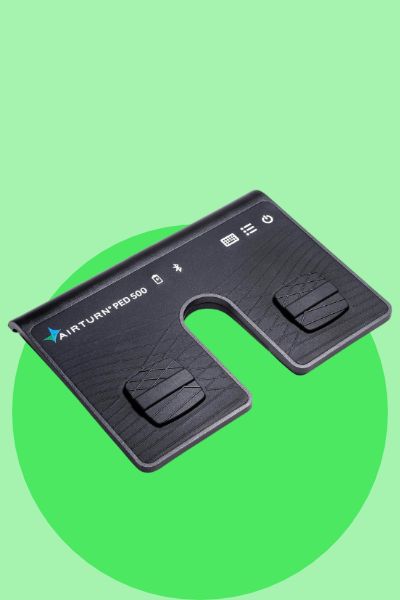
The Pros & Cons of AirTurn DUO 500
Pros
- Long battery rating
- Rechargeable battery
- Quiet pedal action
- Removable controller
- Custom switch commands
Cons
- No illuminated pedals
- No wired page turning
- Only two built-in pedals
- App for advanced settings
- Costs more than Donner
PageFlip Firefly
A two pedal page turner with illuminated switches and a USB connection for using it with a computer without Bluetooth.
- Illuminated pedals
- USB wired option
- 200-hour battery rating
- 2 external switch ports
Why Is It Great?
The illuminated pedals could be useful if you're playing in a darker venue. You can use Bluetooth with a compatible tablet or a USB cable with a computer. PageFlip rates two AA batteries for around 200 hours of use and there are two connections for optional extra switches. The batteries aren't rechargeable inside the unit and older models need computer software to customise their modes.
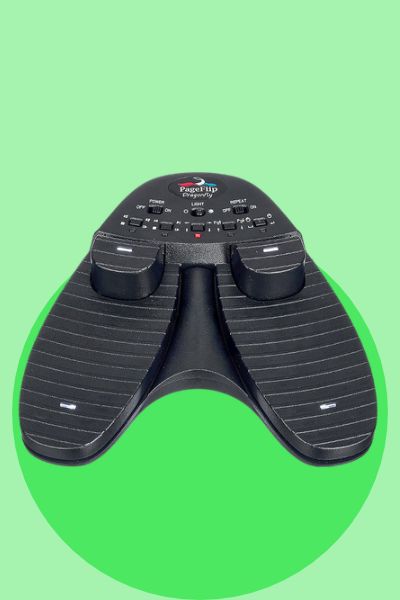
The Pros & Cons of PageFlip Firefly
Pros
- Illuminated switches
- Silent pedal action
- USB computer connection
- Two extra switch ports
- Replaceable AA batteries
Cons
- No built-in recharge
- Extra switches cost more
- Heavier than AirTurn
- Old versions: PC setup
- USB cable not included
Donner DBM-50 Bluetooth Page Turner
An inexpensive rechargeable pedal for moving backwards and forwards through music on a compatible tablet or computer.
- USB rechargeable
- Up to 80 hours
- 5 page-turning modes
- Battery level indicator
Why Is It Great?
There are five modes for sending different page-turning commands and a battery indicator so you can check the charge before playing. Donner says a full charge gives you up to 80 hours of use. The USB connection charges the pedal but doesn't provide wired page turning. If all you need is to move through a score, the additional control settings on more expensive models may not matter to you.
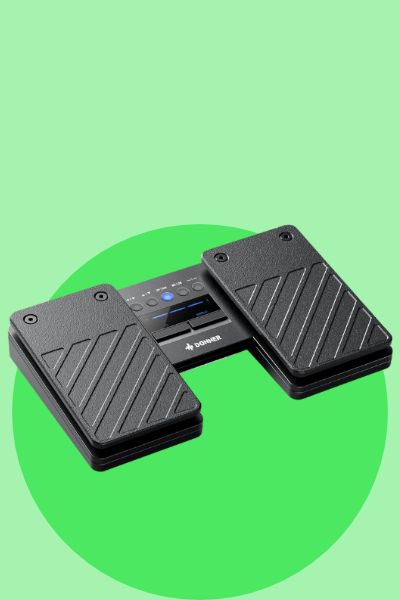
The Pros & Cons of Donner DBM-50 Bluetooth Page Turner
Pros
- Lower purchase price
- USB rechargeable
- Five operating modes
- Battery level display
- Quiet foot switches
Cons
- No illuminated pedals
- No wired page turning
- Shorter battery rating
- No quick AA battery swap
- 30-minute auto sleep
FAQ
Can I Use a Bluetooth Page Turner With forScore on an iPad?
Yes. forScore supports compatible page turners and lets you change which commands trigger page turns. Check the pedal's mode and forScore's Page Turners & Shortcuts settings if the device pairs but the music doesn't move.
Will a Bluetooth Page Turner Work With PDF Sheet Music?
Usually, if the app displaying your PDF responds to keyboard commands such as an arrow key or Page Down. The pedal doesn't need a special sheet music format. The reading app determines whether the page actually turns.
Does a Bluetooth Page Turner Need Wi-Fi?
No. The pedal connects to a compatible tablet or computer through Bluetooth. If your sheet music is saved on the device, page turning normally works without Wi-Fi or mobile data. You may still need internet access to download new music.
Can I Use a Page Turner and Piano Sustain Pedal Together?
Yes. Position the page turner where your free foot can reach it without interfering with the sustain pedal. Try the layout during rehearsal, especially if your music needs frequent sustain changes.
Why Is My Page Turner Connected but Not Turning Pages?
Check the pedal's operating mode first. Different apps recognise different keyboard commands. In forScore, check Page Turners & Shortcuts. On an iPad, Full Keyboard Access under Accessibility can also interfere with some pedals. Try disabling it if page turns aren't responding.
My Final Thoughts on Bluetooth Page Turners for Sheet Music
I can see why a Bluetooth page turner would be useful if you're trying to read music while both hands are occupied. The pedal doesn't follow the score for you, but it removes the need to reach across and touch the tablet every time the page ends.
Before using one, I'd check that the music app understands the pedal's commands and work out where it can sit without getting in the way of the sustain pedal. Those two things probably matter more than an extra few metres of Bluetooth range.
The Donner DBM-50 does the basic job for a lot less money. It has a rechargeable battery and several modes for different app commands. If all you're doing is moving back and forth through a score, that may be enough.
The AirTurn DUO 500 has more settings for controlling different apps and a longer stated battery life. I think that could be useful if the same pedal will also scroll lyrics or handle other jobs.
The PageFlip Firefly is different again. Its switches light up, it takes replaceable AA batteries and it can connect to a computer by USB. Those details may matter if you play in darker venues.
And if your whole score already fits on the screen or your app has another way to turn pages, you might not need any of these. The point is making the music easier to follow, not adding equipment for its own sake.
ABOUT THE AUTHOR